

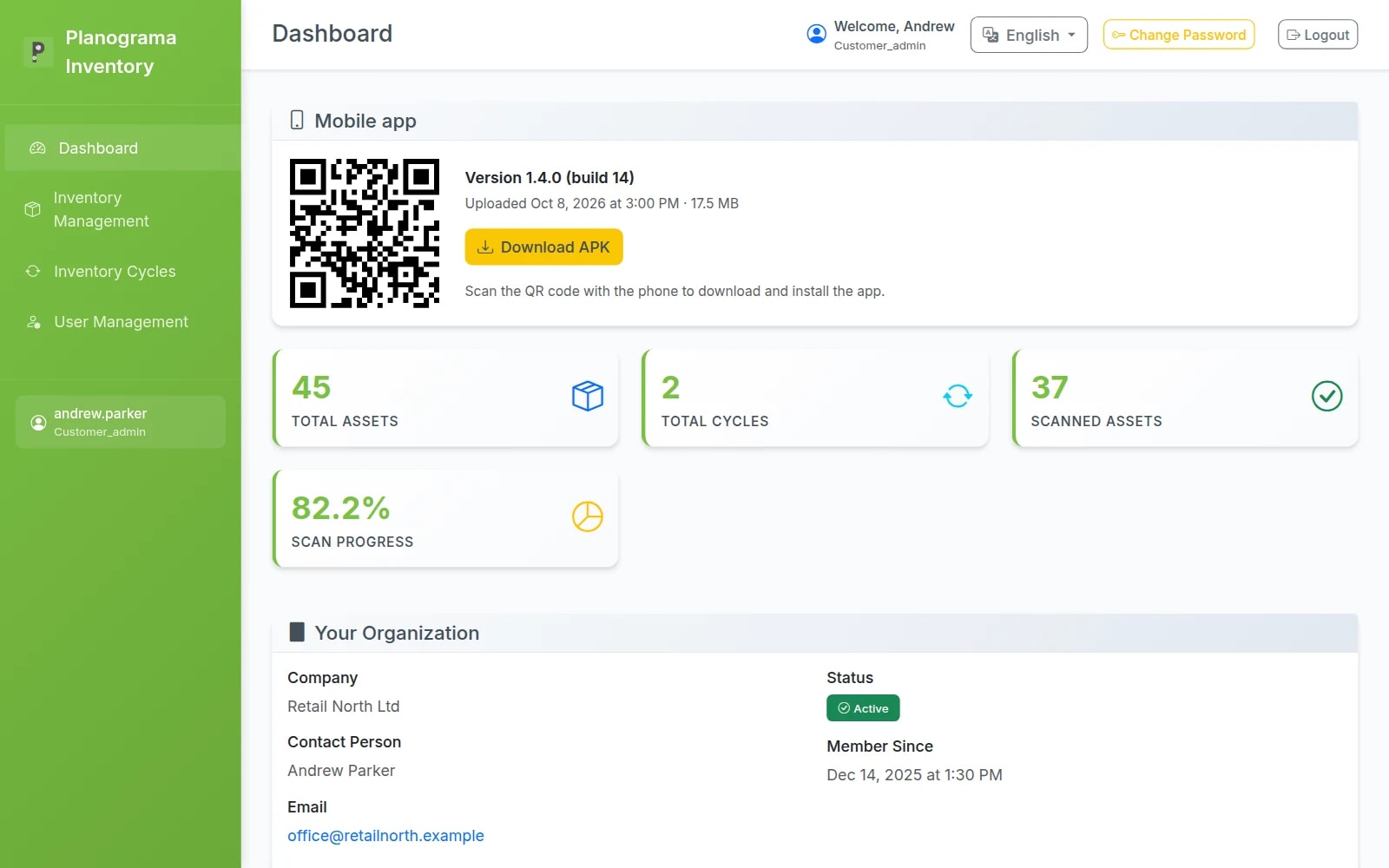
Count your stock with a phone. See what's missing on the spot.
Your team scans the asset barcodes, and the web panel shows straight away what was found, what is missing and what turned up extra. When the count closes, you get the full report.
Free 14-day trial. Plans from €49 a month.
- Item lists
- Import from CSV and Excel
- Scanning
- Found, partial, missing, extra
- Languages
- English, Romanian, Spanish
- Free trial
- 14 days
How a stocktake works
From your Excel list to the final report, in four steps.
- 01
Import your assets
Upload the list you already have, as CSV or Excel. Columns with familiar names, such as "Name" or "Barcode", are matched automatically.
- 02
Start a cycle
For the whole company, or just one location or category. The list to check is fixed the moment the cycle starts.
- 03
Scan with the phone
Your team scans the barcodes, with the camera or a rugged device's laser. Each asset is marked found or partially found; anything not on the list shows up as extra.
- 04
Close and report
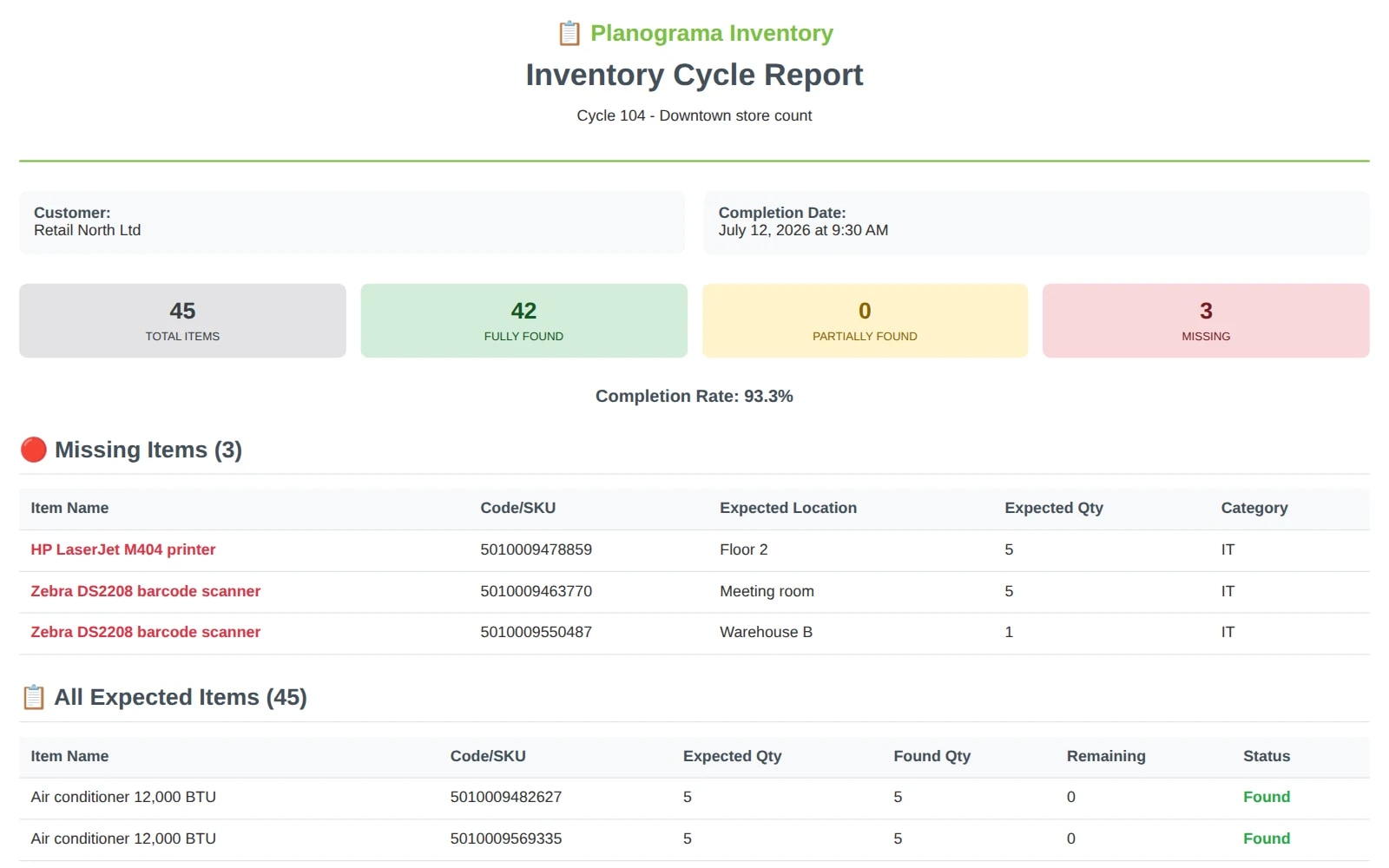
The report gives the completion rate and lists, separately, what is missing and where it should have been.
Features
Everything a paperless stocktake needs.
Asset register
All your company's assets in one list.
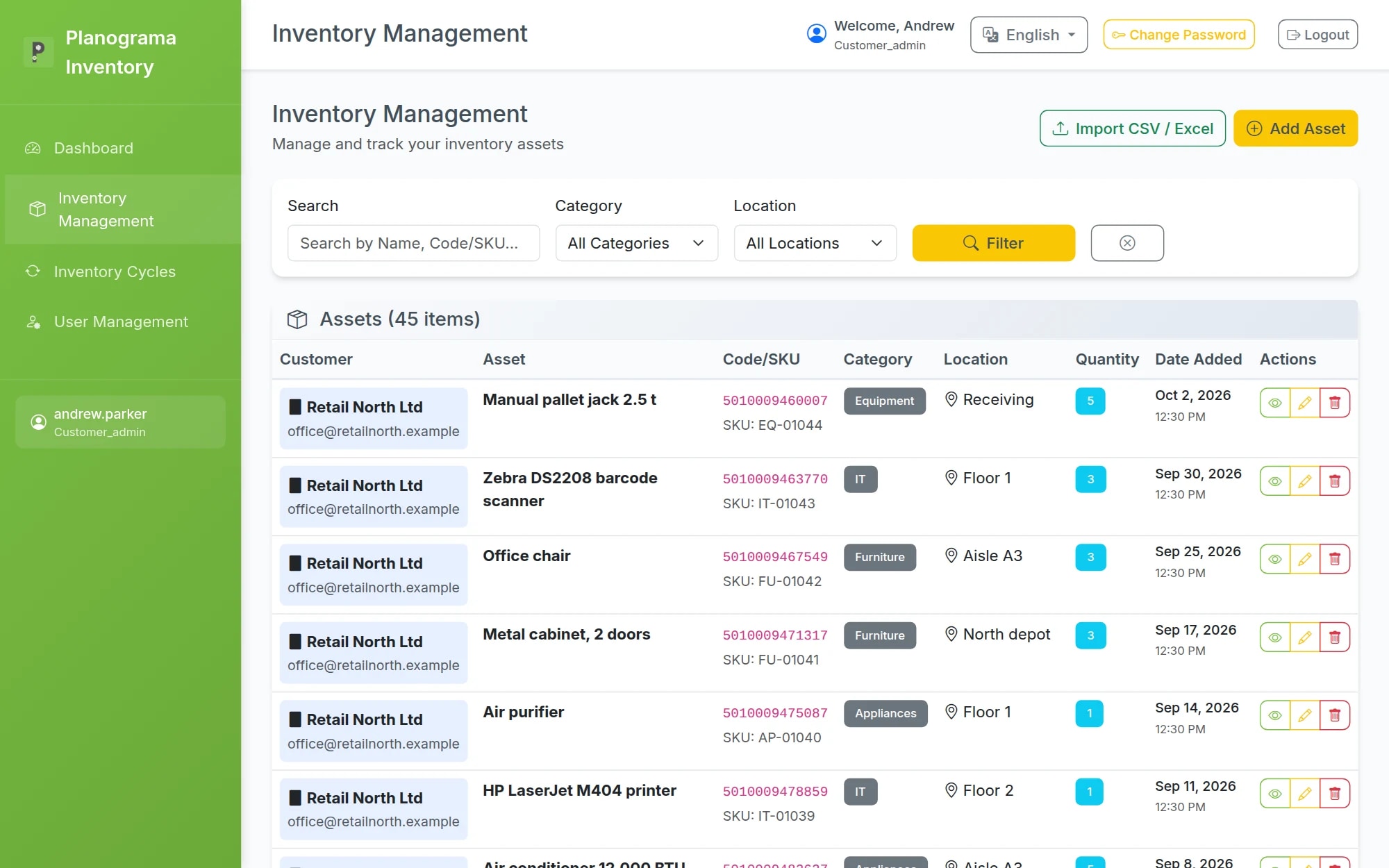
Each asset has a name, barcode, internal code (SKU), quantity, category and location. You find any of them in seconds, however long the list.
- Search by name, barcode or SKU
- Filter by category and location
- Add assets in the panel or straight from the app, and edit them
Import
Bring the list you already have, whatever it looks like.
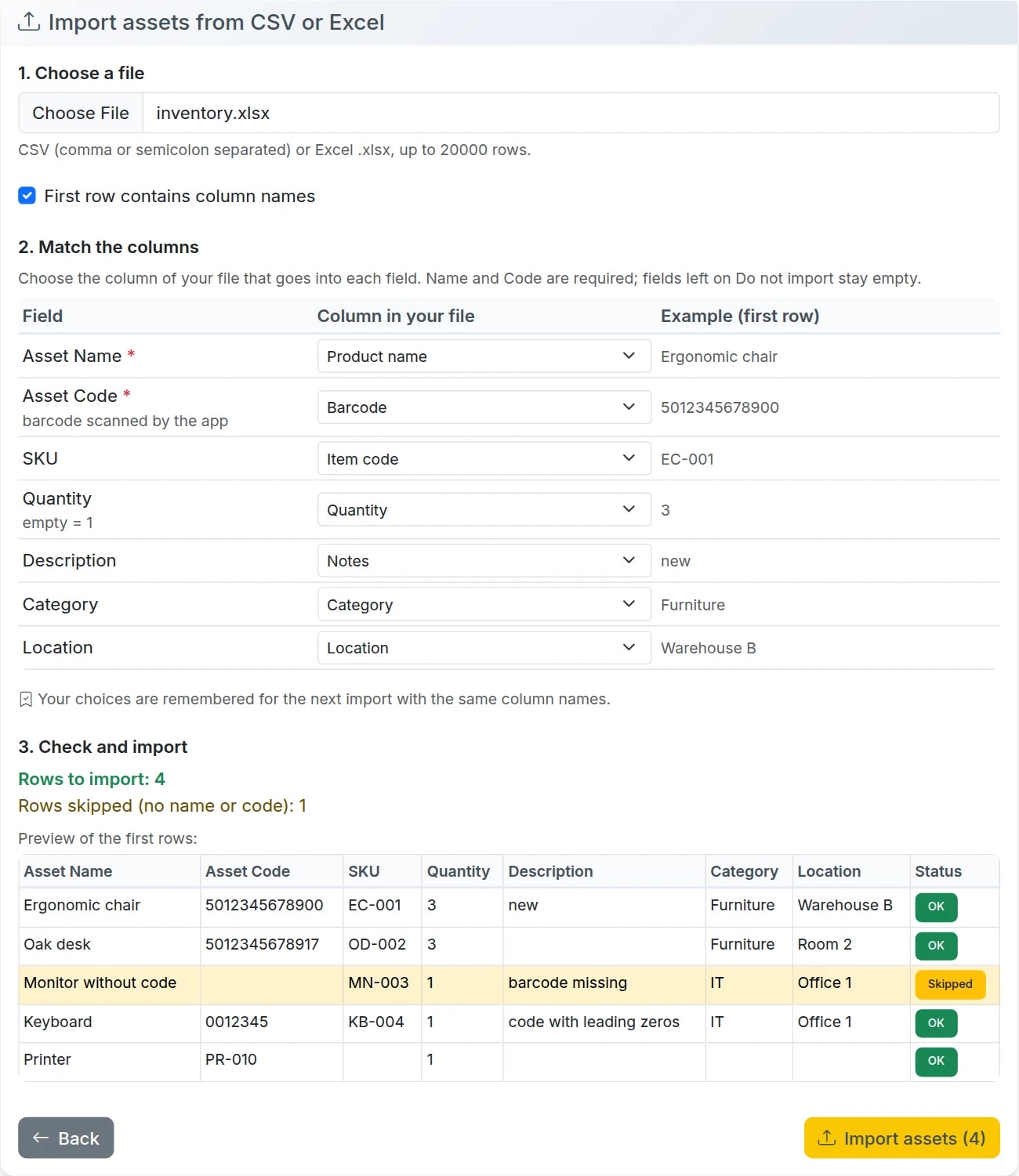
No need to rebuild your file to fit a template. Choose which column goes into which field, and check the rows before anything is imported.
- CSV separated by commas or semicolons, or Excel
- Recognises columns such as "Product name", "Barcode", "Quantity" or "Location", in English, Romanian or Spanish
- Shows which rows will be imported and which will be skipped
- Remembers your choices for the next file, up to 20,000 rows at a time
Counting cycles
Progress you can see while the team scans.
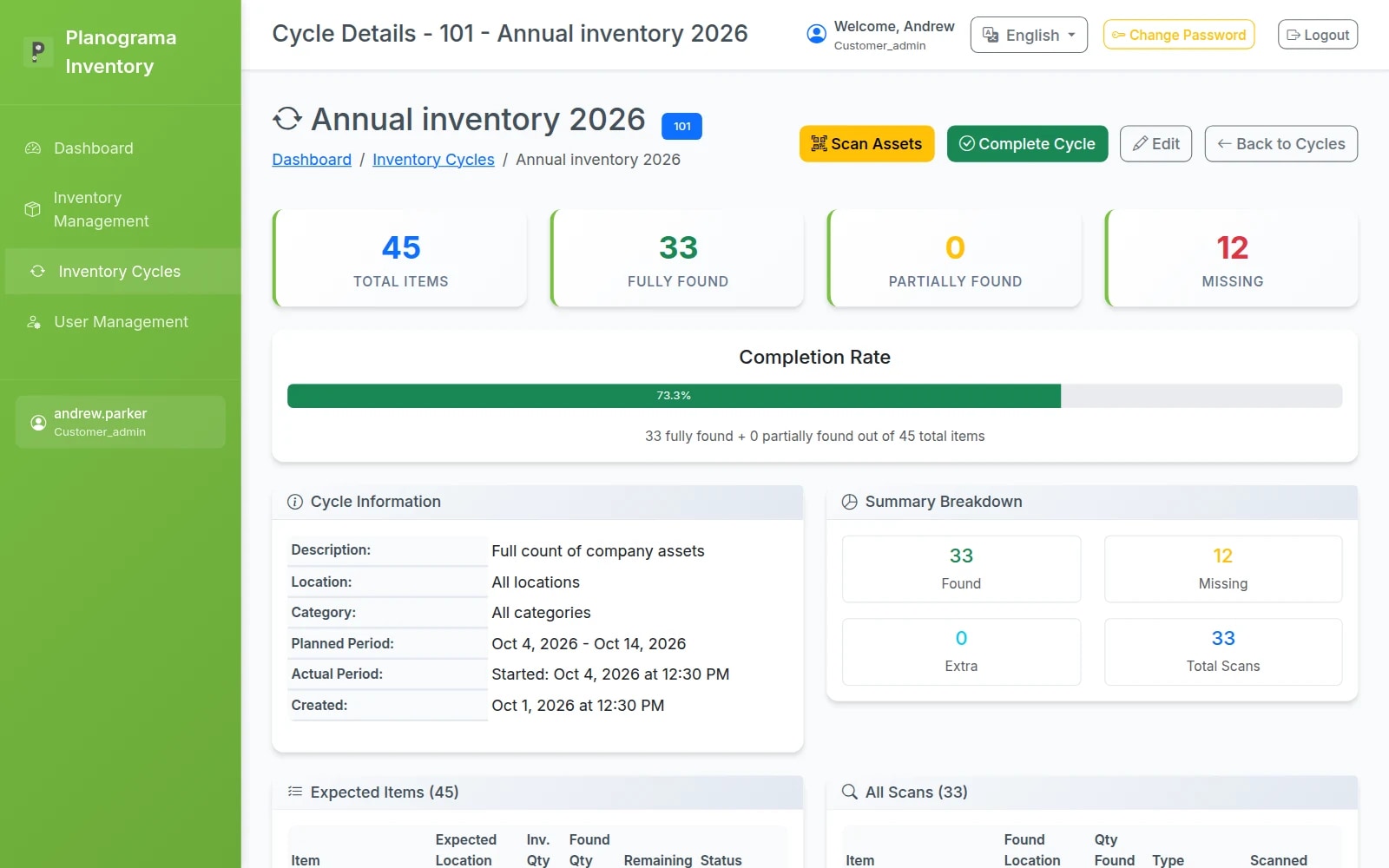
Each cycle compares the list to check with what is actually scanned. You see the completion rate, the quantity found and where every asset was found.
- A cycle for the whole company, or for one location or category
- Every scan logged, with the location found and notes on condition
- Extra assets found on site can be added to the register
- Several phones on one cycle, even offline; admins and managers close it
- Found
- Partially found
- Missing
- Extra
Report
A final report ready to hand to accounting.
When the cycle closes, you get a summary: how many assets were to be checked, how many were found and the completion rate. Missing assets are listed apart, with where they should have been.
- Summary: total, found, partially found, missing
- Missing assets with their code, location and expected quantity
- The full list, with the quantity expected and found
- Download it as PDF; export to CSV and share it from the phone
For the whole team
Everyone sees exactly what they have to do.
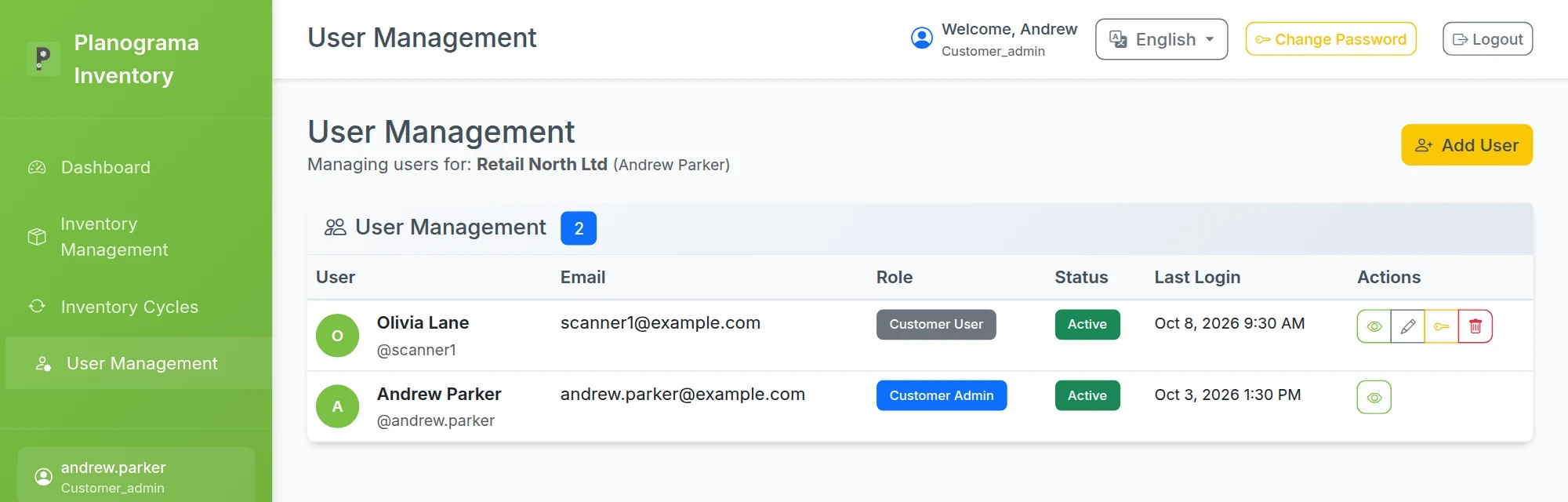
Company admin
Runs the stocktake
Imports and edits the assets, starts and closes cycles, adds colleagues and gives each a role. Sees when every user last signed in.
Scanning team
Scans, and that's it
Signs in to the app with a username or email, scans the barcodes and notes where each asset was found and in what condition.
Users and locations
Sized to your team
Each plan includes a set number of users and locations, and you can add more as you grow. Each user picks their own language and time zone.
Inventory or WMS?
Two products, two different jobs.
Planograma Inventory
A standalone app for stocktakes and audits: import your list, start a cycle, scan, report. It works next to any system; your list comes from a CSV or Excel file.
- Periodic stocktakes and audits
- Stock and assets, on any site
- No warehouse system required
Planograma WMS
Runs the warehouse every day — receiving, storage, picking and shipping — and includes cycle counting in its Inventory Control module.
- Day-to-day warehouse operations
- Cycle counts inside the WMS
- Integrations with shops and ERP
Pricing
Plans from €49 a month.
Mobile inventory app with barcode scanning, cloud sync and web admin interface. Start with a free 14-day trial.
Starter
For small companies ready to leave Excel behind.
€49/ month / company- 2 users
- 1 location
- Up to 2,000 items (SKUs)
- Barcode and QR scanning
- Inventory counts and stocktakes
- Basic web admin
- CSV / Excel export
- Email support
Setup €0–150, depending on help with the import
Try for free- PPopular
Team
For small teams with several operators and a full web admin.
€99/ month / company- 5 users
- 3 locations
- Up to 10,000 items (SKUs)
- Full web admin
- Simple roles: admin / operator
- Movement history
- Basic reports
- Initial item import
- Priority support
Setup €250–500
Request a demo Business
For companies that run their stock every day.
€199/ month / company- 15 users
- Up to 10 locations
- Unlimited items (fair use)
- Advanced roles
- Audit trail
- Label printing / QR labels
- Low-stock alerts
- API access or basic integration
- Cloud backup
- Priority support
Setup €750–1,500
Request a demoEnterprise
For a complete solution, not just an app.
From€399/ month / company- Custom users and locations
- ERP / WMS / e-commerce integrations
- Recurring imports
- SSO, if needed
- SLA
- Training
- Dedicated support
- Custom workflows
Setup €2,000–8,000, depending on the integration
Talk to sales
Setup is a one-off fee.
Start with a free trial.
Create your company's account in the web panel, install the app and run a first stocktake on a limited dataset, free for 14 days. Then choose the plan that fits, from €49 a month.
Prefer email? [email protected]
Screenshots show demo data. The interface is available in English, Romanian and Spanish.